
Signing up for a Foothill College class is a two step process.
1
Apply for Admission

- Before you register for a class, you must be admitted to Foothill College. There is no fee to apply. If you were admitted the previous quarter, skip this step and go to Step Two.
- Go to the Apply & Register page on the Foothill College website and follow directions to apply for admission.
- If you are a new user, create your free account that will allow you to choose a username and password login. If you are a continuing user, use your username and password to login.
- Follow the prompts to complete your application. Make a note of your Student ID Number and PIN.
2
Register for Classes*
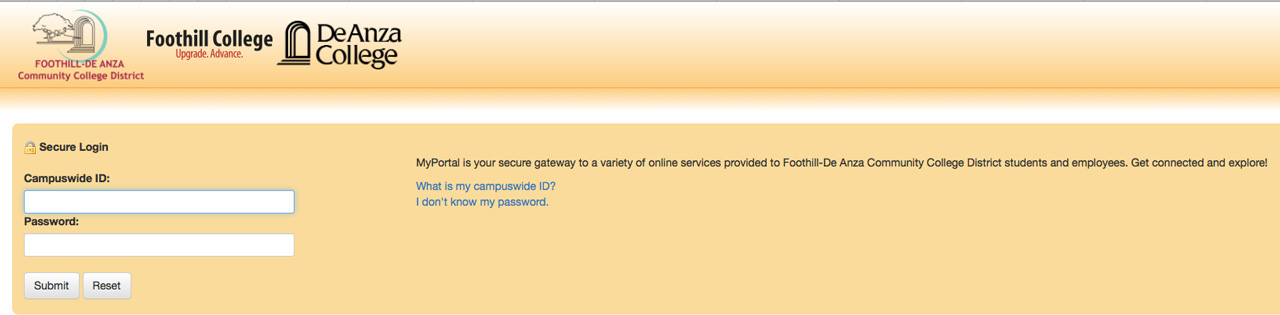
Once you’ve filled out your application, a Campuswide ID (an 8 digit number that begins with 1 0r 2) will be sent to you via email within 24 hours, and you will be able to register for FASTTech classes (Learning in New Media, LINC) at MyPortal.
The first time you log in, your password will be your date of birth, MMDDYY.
- Once logged in, click on “Registration” tab
- Click on “Add or Drop Classes”
- Choose “Foothill College”
- Choose the quarter for which you would like to enroll
- Click “Class Search”
- Choose “Learning in New Media Class” then click “Class Search”
- Click “View Sections” for classes wanted
- Select the class and then click “Register.”
FORGET!
Make Your Payment
Once you’re registered, you must pay for the class within five days to avoid being dropped from the class for non-payment. You may do so by going to the Registration tab on MyPortal and clicking on “Make a Payment” and then choose the Term. For any billing questions, contact the Cashier’s office: (650) 949-7812.
-----
* If you have issues while trying to register, please contact the Admissions and Records office at 650-949-7325.